
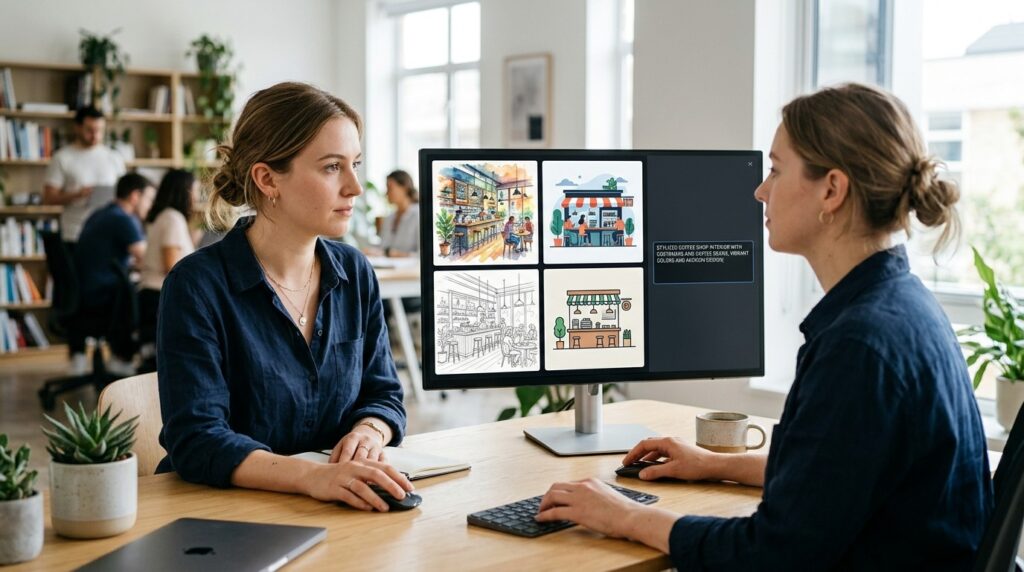
OpenDream AI Art is a browser-based text-to-image generator. You type a description pick a model or template and get an image back in seconds. It sits in the crowded middle of the AI art market: easy to start with priced for casual and small-business use and less capable than the premium tools professionals tend to prefer.
This article covers how the platform works what its free and paid tiers include how it fits commercial use and how far to trust the many enthusiastic reviews you will find online.
What OpenDream Is
OpenDream is a browser-based text-to-image generator that was launched around 2023 and is built on open-source Stable Diffusion models. That means it does not invent its own core technology. It packages existing diffusion models in a simple interface. It needs no downloads no local GPU and no coding knowledge.
Beyond plain prompting the platform offers templates and themed generators. Its own site promotes an AI anime generator and a logo and icon generator and a directory listing describes a wide range of customizable templates from porcelain with dried flowers to 3D characters. It also has a community gallery batch generation and API access for developers.
How OpenDream AI Art Generates Images
OpenDream AI Art turns written prompts into images using AI models rather than simply searching the web or combining existing pictures. The system converts your words into a mathematical representation begins with random visual noise and gradually refines it into a finished image. Because the process is based on patterns learned from training data the same prompt can sometimes produce different results.
For beginners the key is to write clear and specific prompts. Describing the subject, visual style lighting colors composition and overall mood can help guide OpenDream AI Art toward a more useful result. Advanced settings such as seed resolution and iteration can also help users refine images or reproduce similar results.
Pricing and Free Access
Reported figures differ by source and platforms change plans often so check the pricing page before subscribing. One review states that free users get 24 daily credits and access to two models while paid plans start at around $12 a month for 3000 credits and unlock two additional models. Another review likewise describes four models in total with free users getting two and paid subscribers getting all four and no credit card required to sign up.
Treat those numbers as a snapshot rather than a guarantee.
Commercial Use and Ownership
This is the question that matters most for businesses. OpenDream’s own site says users generally retain ownership of the artworks they create and may use them commercially provided they comply with the platform’s policies and guidelines.
That is the platform’s terms not a legal guarantee. A few cautions apply to any AI image tool:
- Read the current terms yourself. Usage rights are set by the platform’s terms and they can change.
- Copyright law around AI-generated images is unsettled and varies by country. Ownership under a platform’s terms does not necessarily mean the image is protectable under copyright law.
- Avoid prompts that imitate specific artists characters or brands which creates avoidable legal and reputational risk.
- For logos and brand assets get legal advice. A generated logo may be hard to trademark or protect exclusively.
This is general information not legal advice.
Who Can Benefit From OpenDream AI Art
OpenDream AI Art can be useful for hobbyists small businesses and marketers who need quick visuals for social media posts mockups blog content or concept art without a steep learning curve. Its simple approach can make it accessible to beginners and users interested in exploring AI-generated artwork.
However OpenDream AI Art may not be the right fit for projects that require precise brand consistency advanced photo editing or highly polished marketing assets. It is better suited to generating and exploring visual ideas than replacing professional design tools such as Photoshop or Canva for detailed editing and brand-focused work.
Limitations to Expect
Inconsistent results: Output quality varies between prompts and models and getting a usable image often takes several attempts.
Imperfect moderation: The platform uses built-in moderation to block harmful or restricted content but the filtering is not always consistent: some unsafe outputs may slip through while harmless prompts are sometimes blocked. If something is wrongly blocked rephrasing usually helps. For a business it also means reviewing every output before publishing.
Limited control compared with premium tools: Because it is built on open Stable Diffusion models the ceiling on style detail and prompt fidelity is set by those models and pricier competitors may do better.
Credits run out: Free daily credits cap how much you can experiment.
A Caution About Online Reviews
Search for this topic and you will find dozens of near-identical glowing write-ups. That should make you skeptical. One critical analysis noted a cluster of very similar articles appearing within a short window with near-identical structure promotional language without disclosure and recycled talking points across multiple sites. That does not mean OpenDream is bad. It means much of the coverage is promotional rather than based on independent testing.
Before paying test the free tier with the kind of images you actually need and compare the results against one or two alternatives using the same prompts.
How to Evaluate It for Your Business
- Define the use case. Social graphics concept art and blog illustrations have different quality bars.
- Run the same five prompts on OpenDream and a competitor and compare outputs side by side.
- Check current pricing and credit limits on the official site.
- Save a copy of the terms on the date you start using it commercially.
- Set an internal review step before AI-generated images appear in published or client-facing work.
The Bottom Line
OpenDream AI Art is a reasonable low-friction way to try AI image generation particularly if you want templates and a free starting tier. It is not the most powerful option and the flood of promotional reviews makes independent testing more important than usual. Use it for exploration and lighter-weight visuals and be more careful when brand identity or legal certainty is at stake.
FAQs
Is OpenDream AI Art free?
It has a free tier. One review reports 24 daily credits and access to two models with paid plans unlocking more. Verify the current limits on the official site.
What Technology Does OpenDream AI Art Use?
OpenDream AI Art is reportedly built on open-source Stable Diffusion models a family of diffusion-based AI technology used by many image-generation platforms.
Can I use OpenDream AI art commercially?
Yes OpenDream AI art can be used commercially subject to OpenDream’s current terms and policies. For logos trademarks or other high-stakes commercial uses review the latest terms and consider legal advice.
Is OpenDream better than Midjourney?
Reviews generally place it as more beginner-friendly and affordable but less advanced than premium tools like Midjourney. The better choice depends on your needs and budget so test both.
Does OpenDream copy existing images?
No. It generates new images from patterns learned in training rather than searching for or pasting existing pictures though generated images can still resemble existing styles.